Gradle Basics
Core Concepts
Gradle is an open-source build automation tool that simplifies software development by automating tasks such as compiling code, running tests, managing dependencies, and packaging software. Here are its core features and concepts:
-
Dependency Management
- 📦 Dependencies are libraries or components your project relies on.
- 🔄 Gradle automates the process of managing dependencies by:
- 📋 Allowing developers to specify required libraries and versions in the build configuration.
- 🌐 Automatically resolving transitive dependencies and downloading the correct versions from repositories.
-
Build Configuration
- 🛠️ Software projects require tasks like compiling, testing, and packaging code.
- ⚙️ Gradle simplifies this by using a configuration-based approach:
- 📝 Developers define the structure and requirements of their project in a build configuration file.
- 🔧 Gradle provides common tasks to handle these requirements, reducing the need for custom scripts.
- 🧩 For additional custom functionality, Gradle offers APIs to create reusable custom tasks.
-
Tasks and Plugins
- 🔌 Gradle supports a wide range of build requirements out of the box.
- 🛠️ It is adaptable through plugins, which allow developers to extend its functionality.
- 🌟 Many community-contributed plugins are available for specialized tasks.
-
Build Lifecycle
- 🔄 Gradle’s build lifecycle determines how tasks are executed, enabling efficient and modular builds.
- 📈 Understanding the build lifecycle is useful for maintaining and optimizing complex Gradle configurations.
Dependency Management
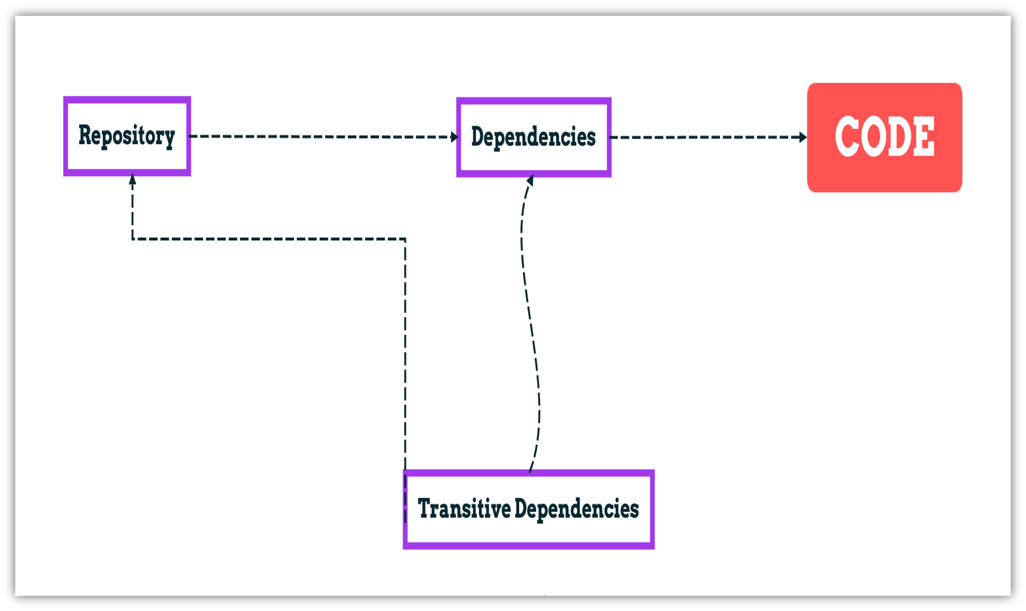
Software Development LifeCycle
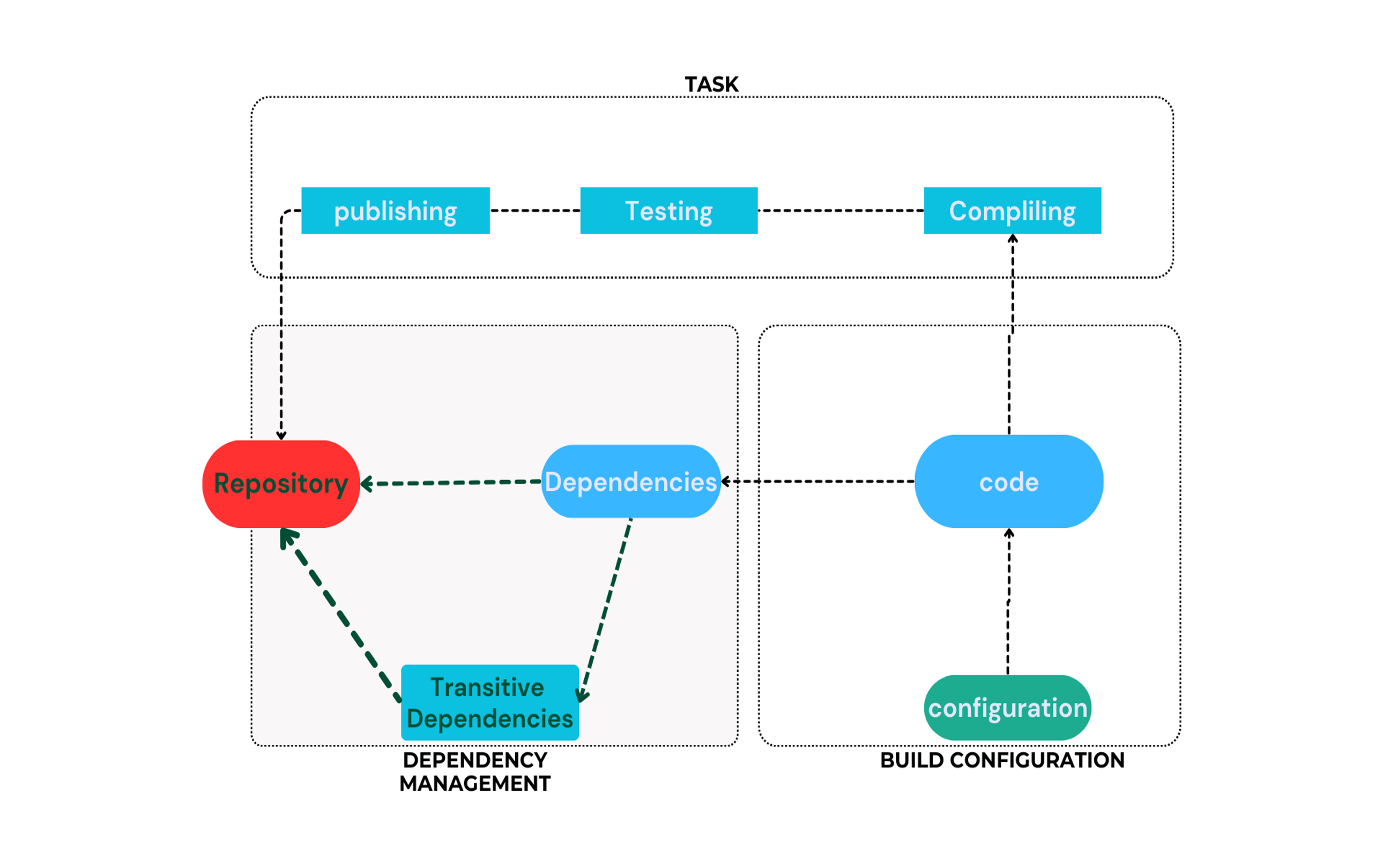
Gradle project structure
Most developers encounter Gradle through an existing project. The presence of gradlew and gradlew.batfiles in the root directory indicates Gradle usage.
A typical Gradle project structure looks like this:
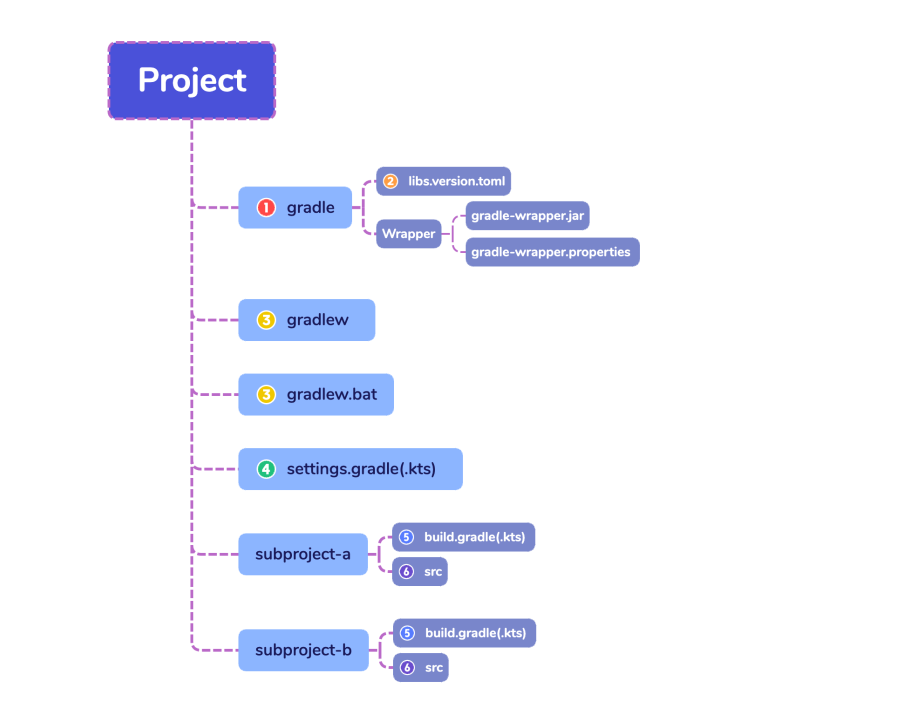
- Gradle directory to store wrapper files and more
- Gradle version catalog for dependency management
- Gradle wrapper scripts
- Gradle settings file to define a root project name and subprojects
- Gradle build scripts of the two subprojects - subproject-a and subproject-b
- Source code and/or additional files for the projects